

Exporting Data
Overview
The write block saves your pipeline results to a file. Connect it to any block that outputs data, choose a format, and download.
Supported formats
The write block supports the same formats as the read block:
- CSV: universal compatibility, plain text
- Excel (.xlsx): preserves multiple sheets, good for sharing with non-R users
- Parquet: columnar format, fast and compact for large datasets
- Feather: fast read/write for R and Python interchange
- JSON: web-friendly structured data
- SPSS / Stata / SAS: statistical software interchange
Export modes
- Download: triggers a browser download of the file
- Browse: writes to a location on the server filesystem
Files are automatically timestamped to prevent overwriting previous exports.
Exporting R code
Every blockr pipeline produces idiomatic R code you can copy and use anywhere.
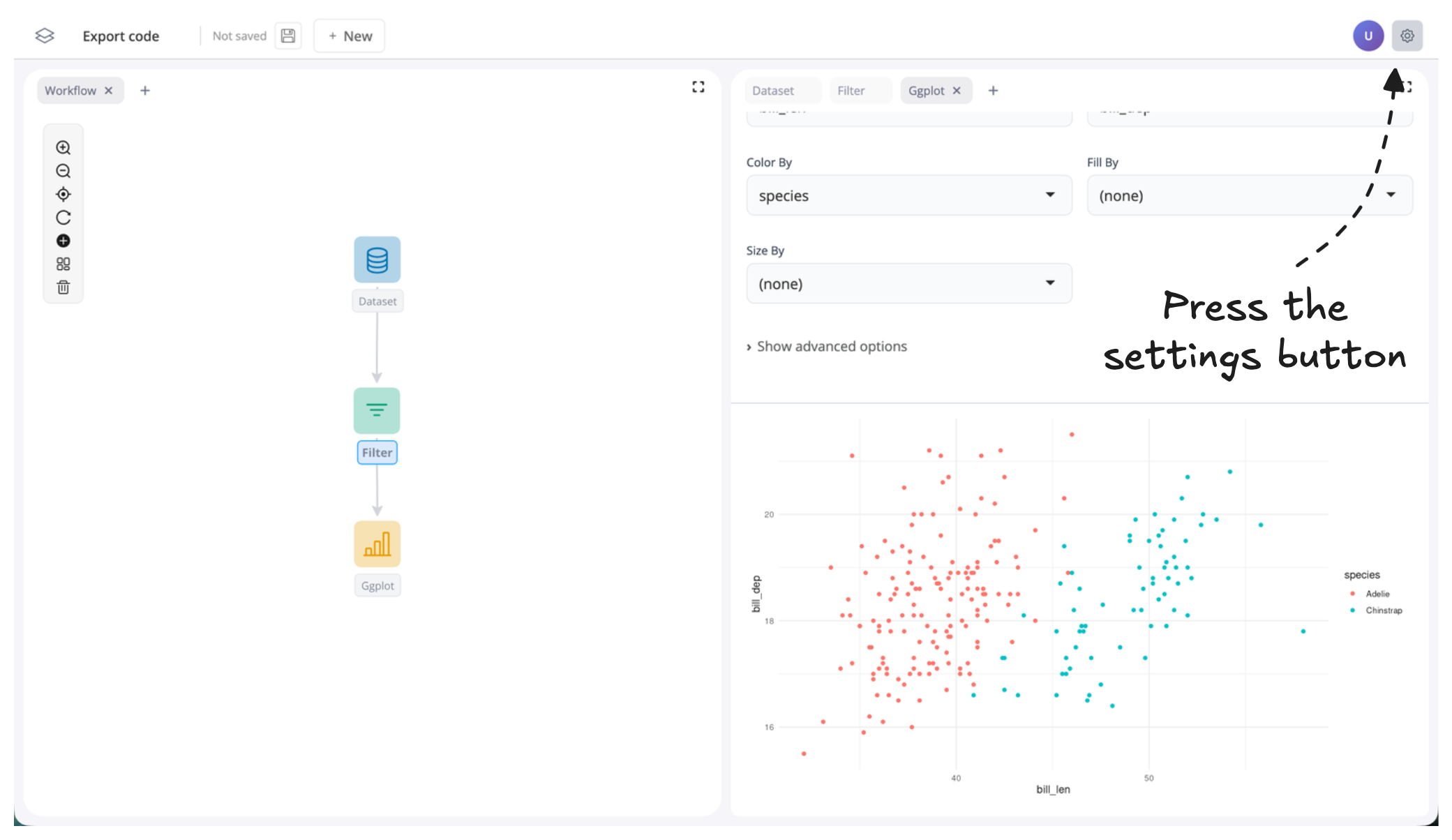
- Press the settings button:
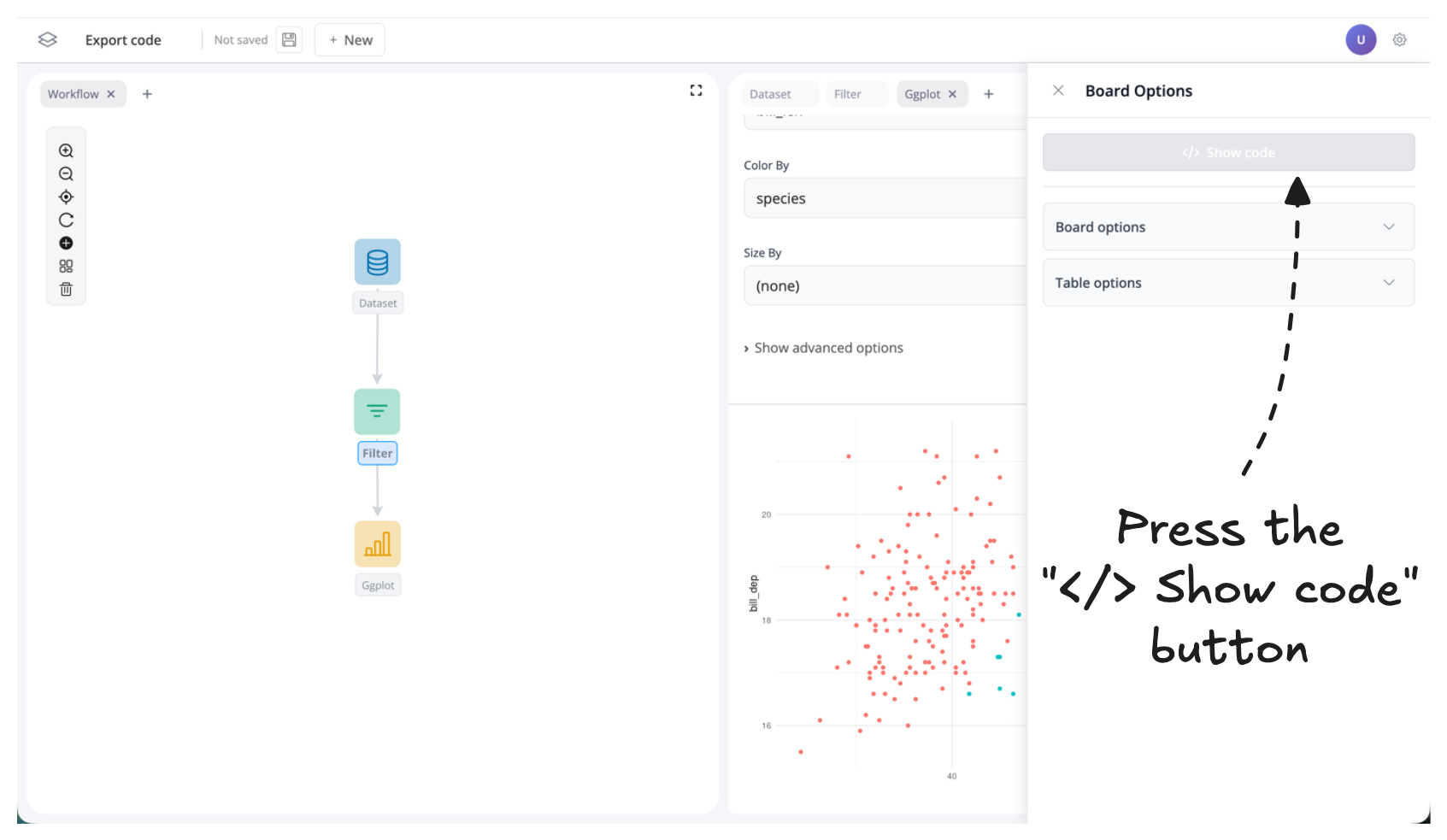
- Press the "</> Show Code" button:
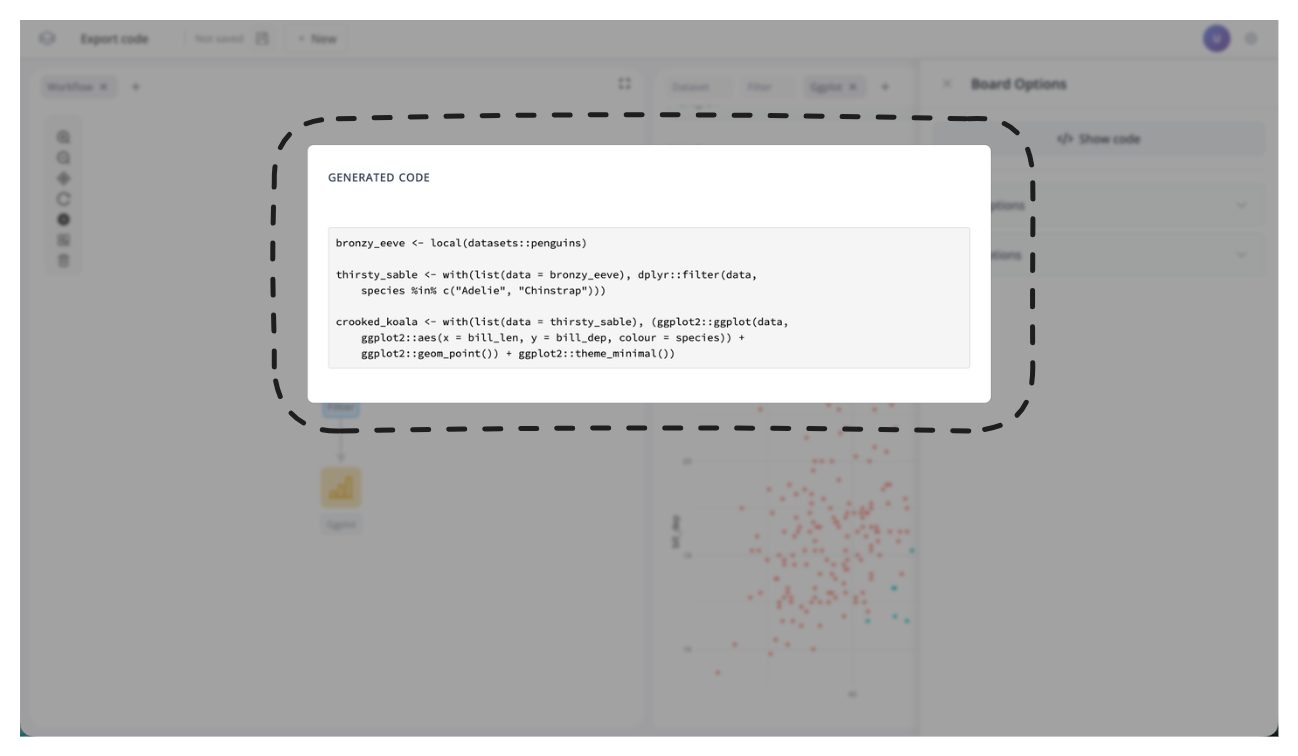
- That's it! Idiomatic R code will appear in a pop-up modal. Copy and paste it where you like.
Next steps
- Creating custom blocks: extend blockr with your own logic
- Block reference: I/O: full read/write block reference